 BSN eWALLETMore than just a digital wallet!

Enjoy greater convenience with BSN eWallet, your all-in-one solution for easy and secure everyday transactions.
FEATURES & BENEFITS
BSNSecure
An additional security feature to help protect your transactions more securely.

Dashboard
View your transactions and spending at a glance, all in one place.

Card Application & Management
Enjoy the convenience of applying for new cards, checking your transactions and managing your cards anytime.

Promotions
Discover the latest deals and promotions in one place.

Happy Rewards
Redeem your Happy Points and Rewards for a variety of exciting options.

Gamifications
Enjoy interactive activities while building better saving and spending habits.
HOW TO REGISTER FOR BSN EWALLET?
Register for BSN eWallet in just a few simple steps:
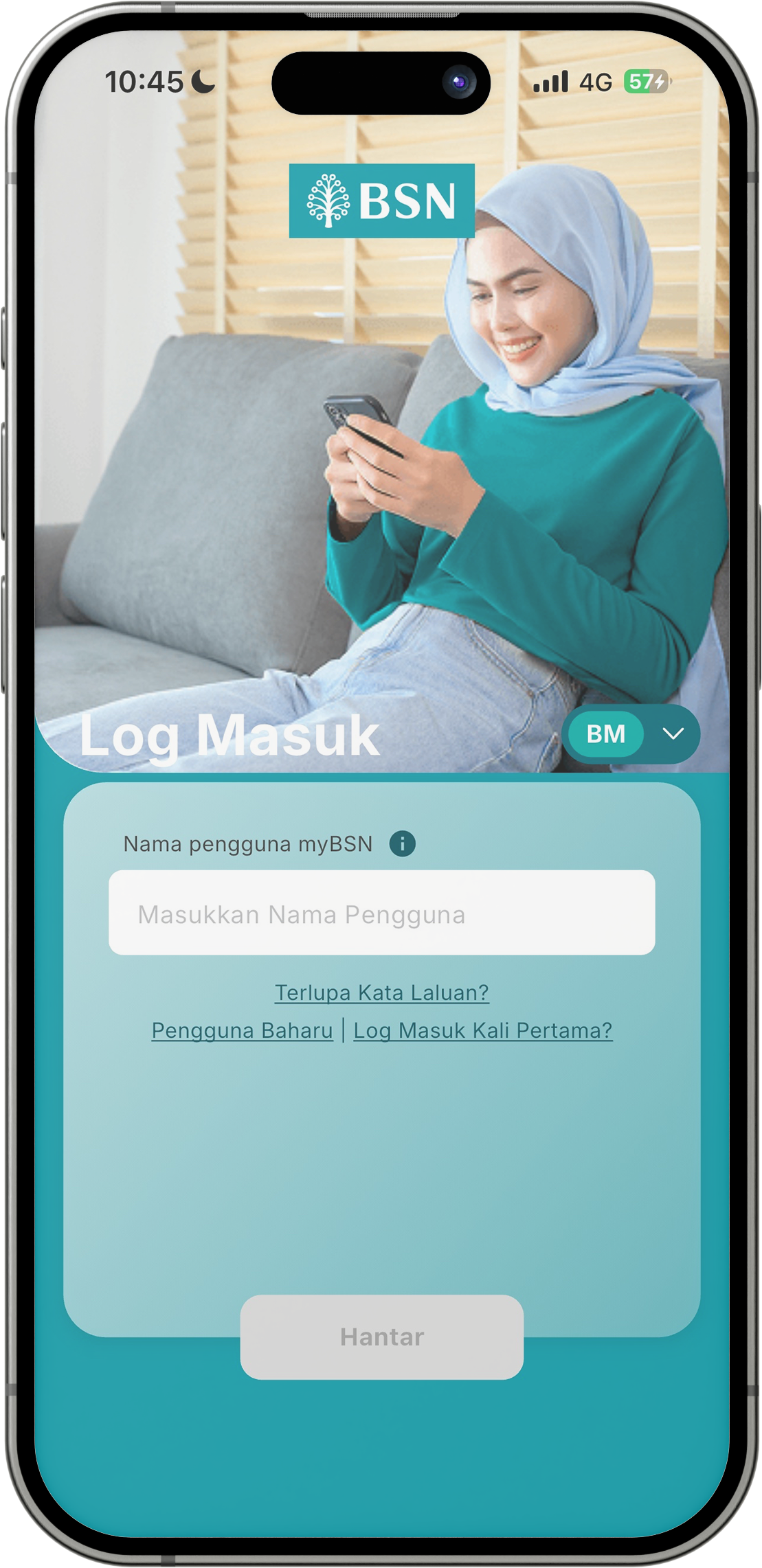
Enter your myBSN username and select Submit.
Enter your myBSN username and select Submit.
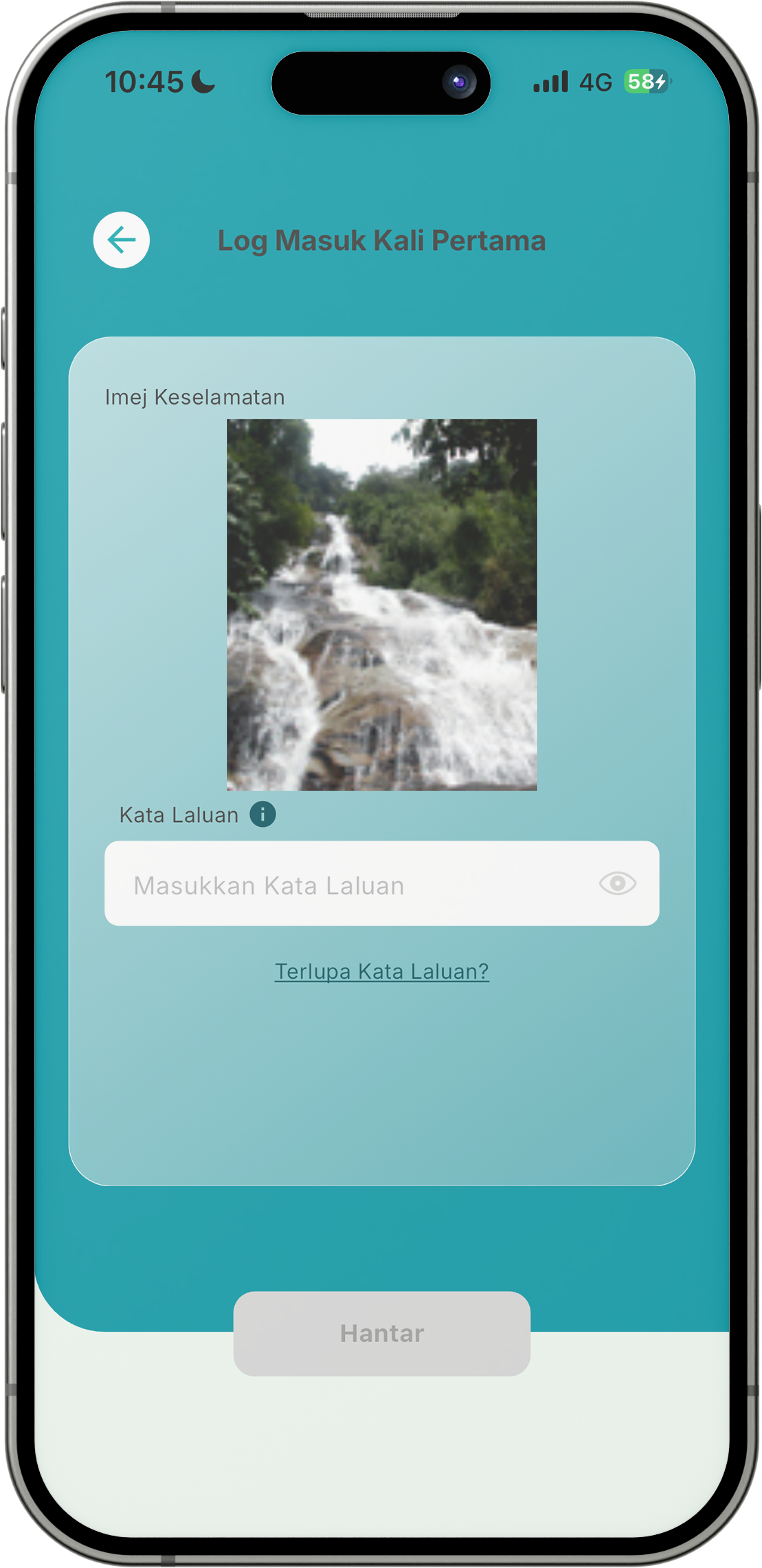
Verify your Security Image and enter your myBSN password.
Verify your Security Image and enter your myBSN password.
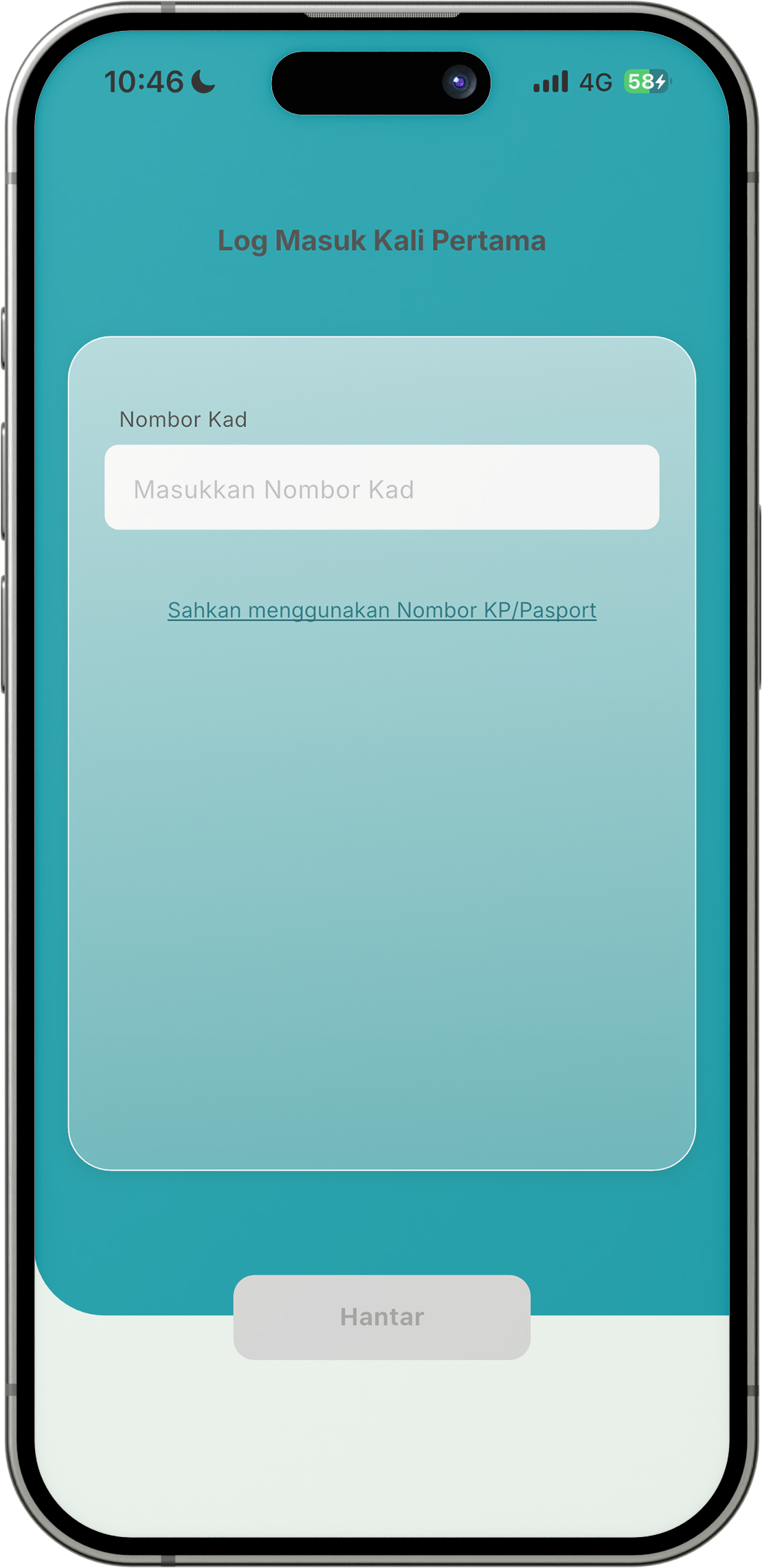
Enter your IC/Passport Number or your Credit/Debit card number, read and accept the terms and conditions, verify your email address and phone number, bind your device, enter the one-time password (OTP), create a new eWallet PIN, and activate biometric access.
Enter your IC/Passport Number or your Credit/Debit card number, read and accept the terms and conditions, verify your email address and phone number, bind your device, enter the one-time password (OTP), create a new eWallet PIN, and activate biometric access.
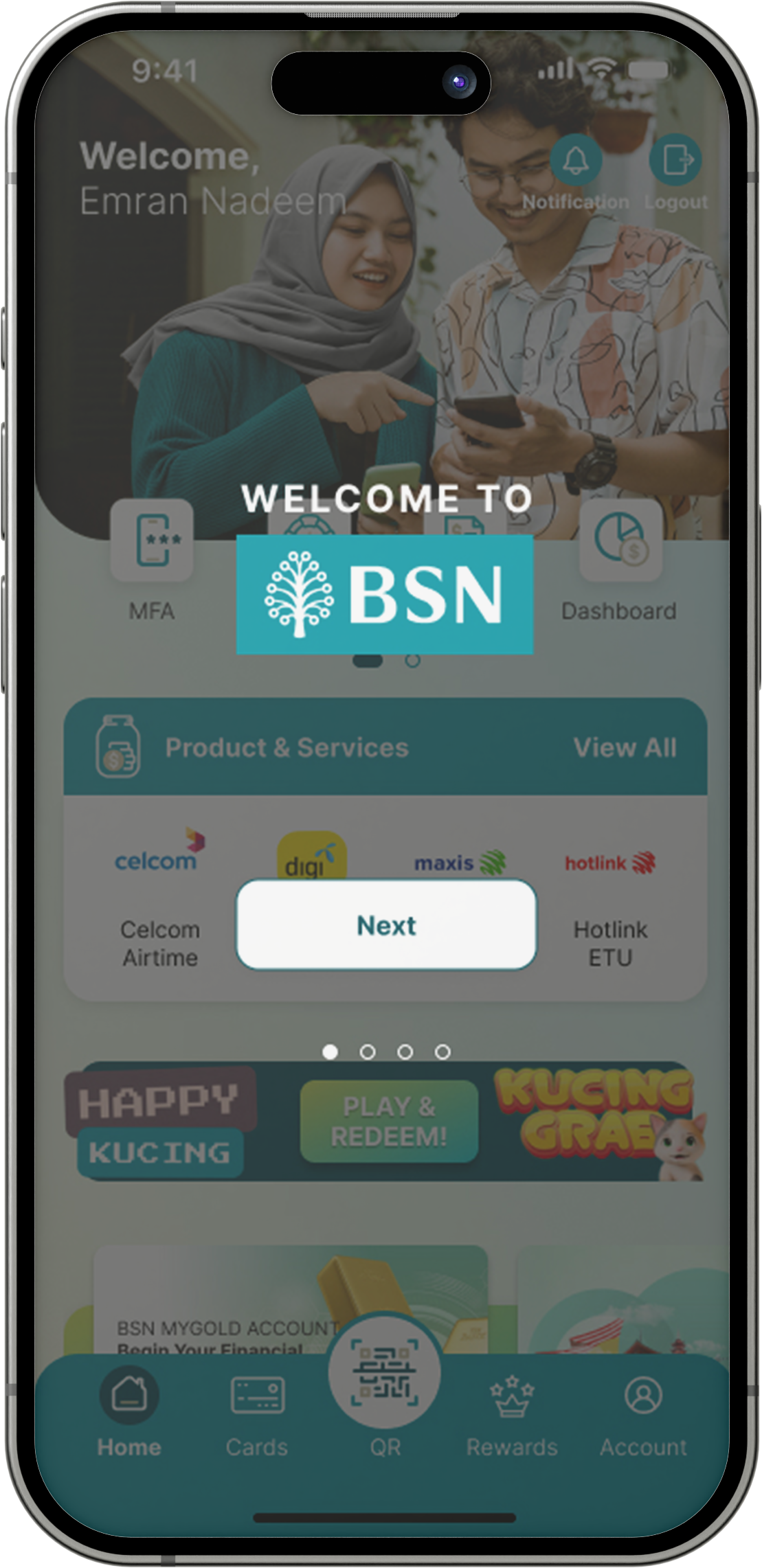
Once registration is successful, a welcome screen will be displayed.
Once registration is successful, a welcome screen will be displayed.
Enter your myBSN username and select Submit.
Enter your myBSN username and select Submit.
Verify your Security Image and enter your myBSN password.
Verify your Security Image and enter your myBSN password.
Enter your IC/Passport Number or your Credit/Debit card number, read and accept the terms and conditions, verify your email address and phone number, bind your device, enter the one-time password (OTP), create a new eWallet PIN, and activate biometric access.
Enter your IC/Passport Number or your Credit/Debit card number, read and accept the terms and conditions, verify your email address and phone number, bind your device, enter the one-time password (OTP), create a new eWallet PIN, and activate biometric access.
Once registration is successful, a welcome screen will be displayed.
Once registration is successful, a welcome screen will be displayed.
DOWNLOAD BSN eWALLET
Device Operating System (OS) Requirement:
- iOS: Version 16 and above
- Android: Version 12 and above
- EMUI: Version 13.0.0 and above



NOTE:
Please ensure that your device meets the minimum operating system (OS) requirements.
Don't have access to myBSN Internet Banking yet? Register here.


