 BSN VISA BUSINESS DEBIT CARDSimplifying Business Payment Wherever You Are
Benefits
- Worldwide acceptance
- Convenient payment, locally and internationally
- Better expense control
- Automatic bill payments
- Safe and secure transactions
- Cash withdrawals nationwide and internationally
- Instant access to business fund
- Track your transaction via www.bsnebiz.com.my
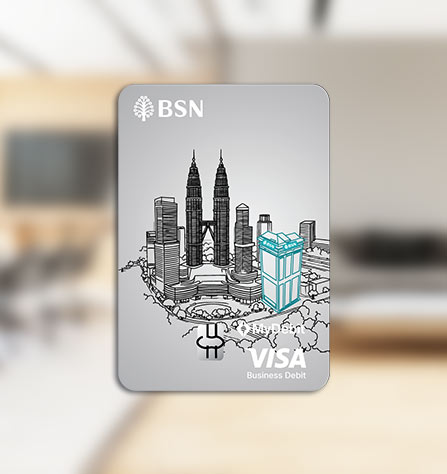 BSN VISA BUSINESS DEBIT CARDSimplifying Business Payment Wherever You Are
Benefits
- Worldwide acceptance
- Convenient payment, locally and internationally
- Better expense control
- Automatic bill payments
- Safe and secure transactions
- Cash withdrawals nationwide and internationally
- Instant access to business fund
- Track your transaction via www.bsnebiz.com.my
BSN Visa Business Debit Card offers instant access to funds with easy expense tracking and management for your business.
ELIGIBILITY
- Applicable for new or existing BSN GIRO/-i Company Account and GIRO/-i Premium Company Account and BSN Basic Current Account-i.
- Applicable for sole proprietors only / penjaja (individual).
- Only applicable to accounts with the signing condition of “Singly".
- Only one card will be issued per account.

HOW TO CREATE YOUR 6-DIGIT PIN
| SMS | You are required to use your registered mobile number with the Bank.
Step 1: Type BSNPIN<space>IC No<space>Last 4-digits of your Business Debit Card No. and send to 66300. Example: BSNPIN 810407146189 7964 Step 2: Receive your Temporary PIN via SMS. Step 3: Change your Temporary PIN to your Permanent PIN at any BSN ATM within 24 hours*. Select Language > Enter Temporary PIN > Select “PIN Change” > Enter Permanent PIN > Confirm Permanent PIN. *Important note: Temporary PIN is valid for 24 hours only. If you fail to change the Temporary PIN to a permanent PIN within the validity period, kindly repeat the above steps. |
BSN Branch | You are able to select your preferred PIN using the PIN Pad device at our branches. The preferred PIN selected will be your permanent PIN. |
To enjoy uninterrupted transactions, please ensure you have activated the usage function on your BSN Visa Business Debit Card before performing the following transactions:
- Purchase limit
- Overseas spend
- Online spend
TO ACTIVATE, FOLLOW THE STEPS BELOW:
To Set / Change "Purchase Limit"
| BSN ATM |
Note: Default daily purchase limit is RM10,000 (maximum setting is up to RM10,000). |
To Activate "Overseas Transaction"
| BSN ATM |
|
To Activate "Online Transaction"
| BSN ATM |
|
Alternatively, you may activate your "Overseas Transaction" and "Online Transaction" function via the following channels:
- BSN branch
- BSN Contact Centre at +603 2613 1900


